

Download xB Browser – anonymous browsing, portable browser, privacy browser, secure web browsing, TorPark alternative
Overview
xB Browser is a privacy-focused web browser designed to deliver secure and anonymous browsing experiences, particularly for users who prioritize data protection and confidentiality. Originally launched under the name TorPark, the application has evolved into a standalone tool that emphasizes portability and session erasure. It is engineered to run from external storage devices such as USB drives and MP3 players, enabling users to maintain a secure browsing environment across different computers without leaving behind any digital traces.
The primary purpose of xB Browser is to provide a private and encrypted browsing experience, especially in public or shared computing environments. It is ideal for individuals who require anonymity, such as journalists, activists, or anyone concerned about online surveillance. By leveraging a modified version of Firefox, the browser inherits robust web compatibility while adding features tailored to privacy preservation. All browsing data—including cookies, history, and temporary files—are automatically deleted upon closing the application, ensuring a clean slate with each session.
Its design philosophy centers on minimalism and security, making it a reliable utility for users who value privacy over advanced customization. While the developer did not provide additional technical details, the browser's long-standing presence since its release on July 31, 2007, indicates a level of stability and user trust. In the broader app ecosystem, xB Browser fills a niche for portable, secure browsing tools, particularly as an alternative to more complex privacy-focused platforms like Tor.
Key Features & Functionality
- Portable Browsing: xB Browser can be launched directly from external storage devices such as USB drives or MP3 players. This allows users to carry their entire browsing environment with them, enabling secure access on any computer without installation.
- Anonymity Focused: The browser establishes encrypted connections to websites, helping to shield user activity from local network monitoring and potential tracking. While it does not use the Tor network, it prioritizes privacy through session isolation and data wiping.
- Privacy Protection: Upon closing, all browsing data—including cookies, cache, and history—is automatically erased. This ensures no trace remains on the host machine, making it ideal for use in public or shared environments.
- Popup Blocker: A built-in popup blocker enhances user experience by reducing distractions and minimizing exposure to potentially malicious or intrusive pop-up content.
- User-Friendly Interface: The interface mirrors that of Firefox, offering a familiar layout and navigation style. This design choice lowers the learning curve and makes the browser accessible to users of varying technical skill levels.
For example, a traveler using a library computer can run xB Browser from a USB drive to access sensitive accounts without fear of data retention. Similarly, a researcher conducting confidential online investigations can rely on the browser’s session wiping to prevent accidental data leaks. The combination of portability, automatic cleanup, and a clean interface makes xB Browser a practical tool for real-world privacy needs.
Interface, UX & Performance
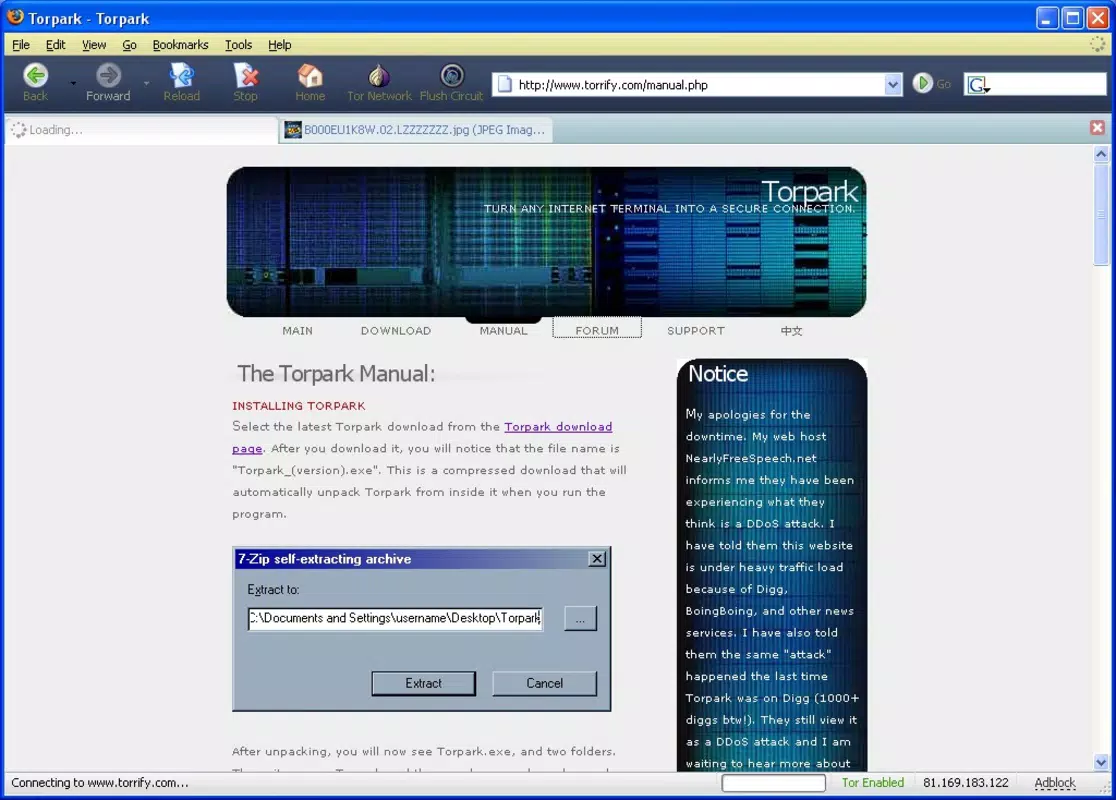
The user interface of xB Browser closely resembles that of Firefox, featuring a standard address bar, navigation buttons, and tab management. This familiar layout contributes to a smooth user experience, especially for users accustomed to mainstream browsers. The visual style is minimal and functional, avoiding unnecessary graphics that could slow performance or distract from content.
Navigational flow is intuitive, with clear access to bookmarks, history, and settings. Although the developer did not list formal performance metrics, the browser’s lightweight design and portable nature suggest efficient resource usage. It is expected to perform well on mid-range and older Windows systems, particularly when used from a USB drive with reasonable read speeds.
Responsiveness appears consistent with typical Firefox-based applications, and stability is likely maintained through regular updates. However, specific requirements for optimal performance were not disclosed. The browser’s focus on privacy and session erasure implies a design that avoids background processes, which may contribute to consistent performance across different device categories. Overall, the UX prioritizes usability and security without compromising accessibility.
Platform Compatibility & Technical Requirements
xB Browser is designed for the Windows platform and is compatible with various versions of the Windows operating system. The application has a file size of 100 MB, which is relatively compact for a browser with built-in privacy features. It is available as a free download, with no cost associated with installation or use.
The developer did not specify minimum OS requirements or version compatibility details. As such, users should ensure their system meets general Windows standards for running portable applications. The browser is intended to be run directly from external storage, which may affect performance depending on the speed of the connected device. Compatibility with newer Windows versions was not confirmed, so users are advised to test the application in their environment.
Pros and Cons
Pros
- Portable – can be run from USB drives and MP3 players without installation.
- Privacy-focused – automatically erases browsing data upon closure.
- Familiar interface – resembles Firefox, reducing the learning curve.
- Free to use – no cost for download or operation.
- Secure browsing – supports encrypted connections and blocks popups.
Cons
- Platform limited to Windows – no support for macOS or Linux.
- Outdated release date – last update not specified, may lack modern security patches.
- No official update history – users cannot verify current maintenance status.
- Limited customization – designed for privacy, not advanced user settings.
- Not a Tor alternative in functionality – does not route traffic through the Tor network.
FAQ
Is xB Browser safe to use?
Yes, xB Browser is designed with privacy in mind. It deletes all browsing data upon exit, reducing the risk of data leakage on shared or public computers. However, users should still exercise caution when entering sensitive information.
Can I use xB Browser on macOS or Linux?
The developer did not provide information about cross-platform compatibility. Based on available data, xB Browser is intended for Windows only.
Does xB Browser use the Tor network?
No, xB Browser does not use the Tor network. It provides privacy through session erasure and encrypted connections, but it does not route traffic through Tor relays.
How do I install xB Browser?
xB Browser is a portable application. Simply download the file, extract it to a USB drive or folder, and run the executable. No installation is required.
Is xB Browser updated regularly?
The developer did not disclose update frequency or maintenance status. Users should verify the source and ensure they are using a secure, unmodified version.
Final Thoughts
xB Browser stands out as a dedicated privacy tool for users who need a secure, portable browsing experience on Windows. Its ability to run without installation and erase all traces of use makes it a valuable utility for those in high-risk or public environments. While it lacks modern features and platform diversity, its core functionality remains relevant for privacy-conscious individuals seeking a no-frills solution.
For users who prioritize anonymity, data protection, and ease of use on shared devices, xB Browser offers a reliable and free alternative to mainstream browsers. Its long-standing presence in the privacy space reflects its enduring value, despite its outdated release date.
Download xB Browser now


